Featured Post Today
print this page
Latest Post
Showing posts with label Laptops. Show all posts

MSI's GT80 Titan Nvidia 980M SLI monster with a mechanical keyboard

MSI's new huge GT80 Titan SLI integrates a Cherry MX keyboard by SteelSeries. Yes, a laptop with a mechanical keyboard. Why? Partially because they can, and partially because mechanical keyboards are awesome to type on.


MicroStar International  officially introduced CES2015 its unique GT80 Titan laptop. As the first of its kind, the MSI GT80 Titan takes a step into the future by integrating a proper mechanical keyboard with Cherrywith 18.4” display that combines incredible performance with easy upgradeability and mechanical keyboard, for the first time in history. The MSI GT80 Titan is to be powered by quad-core Intel Core i7 “Haswell” microprocessor for laptops and two GeForce GTX 980M graphics adapters in SLI configuration. The system is expected to feature up to 32GB of DDR3L memory, M.2 solid-state drives in RAID 0 mode for maximum performance and a 1TB hard disk drive with 7200rpm spindle speed for maximum amount of storage.


That just leaves one major sticking point: price. And the GT80 Dominator isn't cheap. It starts at $3300, though the version on display at CES cost $3700 thanks to a step-up Intel Extreme 4980HQ processor. The system also included 24GB of RAM, a 1TB 7200 RPM HDD and two 128GB M.2 SSDs running in RAID. A trackpad on the right side of the keyboard doubles as a 10 key numberpad with haptic feedback.


 To provide the best experience for gamers, MSI worked with our long-term partner, SteelSeries, the gaming peripherals leader who brought the first mechanical keyboards to gamers and aided in the keyboard development of previous MSI gaming notebooks. With the new GT80 mechanical gaming notebooks, the keyboards are powered by SteelSeries through its anti-ghosting design (N-key rollover) and SteelSeries Engine software suite.


The MSI GT80 Titan SLI has an offset trackpad similar to the Razer Blade Pro's, so you can use it as an ad-hoc mouse for FPS games. But what if you need a number pad for some hardcore Excel work? With the push of a button, the trackpad converts into a ten-key with haptic feedback. While this may seem like a wild PC that'll never be sold, MSI expects this heavy-duty (and just plain heavy) gaming laptop to be on sale .





0 comments
Posted by: Jaime
blognizend, Updated at: 11:51 PM

HP PAVILION G4 CORE I3 DRIVER

HP Pavilion g4 core i3 Driver

 I was looking for drivers on my customer laptops but there no product tags so i search this what i found..
I download first LAN so I can browse the internet for driver updates..


READ MORE...
0 comments
Posted by: Jaime
blognizend, Updated at: 11:05 PM

GPU AND APU ISSUE ON SOME INTEL CORE I3,I5,I7


graphics processing unit (GPU), also occasionally called visual processing unit (VPU) 
The most common implementations of this are ATI's HyperMemory and Nvidia's TurboCache. 

I have customer who buy a HP i3 Windows 7, after 3 months system crush turn the screen into blue screen.

 Due to GPU  malfunction  Dual Video Processing  Unit with Intel and ATI radeon Graphics
AMD A-Series Accelerated Processor (APU) based PC with an AMD Radeon™ DirectX® 11 capable discrete graphics card.


READ MORE....
0 comments
Posted by: Jaime
blognizend, Updated at: 11:03 PM

BOOTABLE FLASH DRIVE

BOOTABLE FLASH DRIVE

Last Saturday in Angeles City going back home in Sto.Tomas, I went to Jenra Mall and Nepo Mall canvasing for External DVD ROM. I want to buy External DVD Rom cause of my other client have Netbooks, as we know Netbook don't have a DVD rom to install Operating System (Reformat). I went to CD Rking the price are 1,580php to 1,880php, Haha my pocket money is exact 1500. So I look around and I saw a KINGSTON Flash drive 8Gig, DT101 G2 for only 300php ONLY!! so i give a try i buy it and make sure is original I check the Logo :p dam it its a original. I have a old post how to make a bootable flash drive.
  • You need an ISO image disk (If don't have create a image file on Nero convert it into ISO using Magic ISO.)
  • NFTS File format (reformat your disk NFTS on windows seven you can done it)
  • Choose your Sofware click here  ( I choose Microsoft DVD)
  • Wait for 30 minutes copying depending on your RAM.
  • Safety Remove your Flash Drive to avoid disk damage.
 Here's my Kingston Performing a Reformat installing Windows 7.


Advantage of Flash drive Fast file transfer then a regular DVD or CD disk installation.
Disadvantage Flash drive might damage if not remove properly.
0 comments
Posted by: Jaime
blognizend, Updated at: 6:22 PM

Ultraslim Ultrabook Laptops Get Cheaper

Ultraslim Ultrabook Laptops Get Cheaper

It’s happening. Super-slim Ultrabook prices are edging closer to the average range of standard laptop prices.
For instance, Lenovo IdeaPad U-series Ultrabooks officially announced on Wednesday start at $749, and other Ultrabooks announced by Asus, Sony, and Toshiba are also more moderately priced, starting at just $600--with some tradeoffs, of course.
So far, price has been the major barrier for Ultrabooks, the new class of laptops designed to balance portability, power, and price. Most of the first wave of Ultrabooks had a $900-to-$1,000 (or even higher) starting price, so compared to many laptops selling for around $500, these ultrathin laptops haven’t been widely received as great bargains.
This is changing with more newly announced Ultrabooks ranging from $599 to $799. The average price of laptops in March 2012 was $725, if you include Apple notebooks, but $508 for just Windows PCs. So these new Ultrabooks are actually very close to the average prices as documented by NPD and Laptop. Here’s what you’ll get for these cheaper Ultrabook prices:

Lenovo IdeaPad Ultrabooks Shave About Half the Price

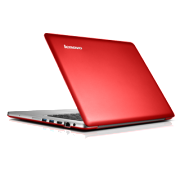
Lenovo IdeaPad U410 UltrabookLenovo IdeaPad U410 UltrabookThe recently announced Lenovo IdeaPad U310 and U410 Ultrabooks start at $749 and $799 respectively. For those prices, you get the latest Intel “Ivy Bridge” Core processors, long battery life, and a thin and lightweight aluminum chassis. The 13-inch U310 boasts a 7 hour battery life, 0.7 inch thickness, and weight of 3.47 pounds. Meanwhile the 14-inch U410 may last up to 9 hours on one charge, is 0.83 inches thick and weighs 4.18 pounds.
They’re not the lightest, thinnest, or most beefed up Ultrabooks we’ve ever seen, but the new U-Series are stylish and more affordable than most others we’ve seen recently, including Lenovo’s original IdeaPad Ultrabook, the U300s, which started at the incredible price of over $1500. The lower U-Series prices are due in large part to the use of a traditional hard disk drive (500GB) instead of a more expensive solid state drive. (A faster 32GB SSD is also available in the new Ultrabooks to speed up boot times).

Toshiba and Sony Ultrabooks Start in the Mid-$700s

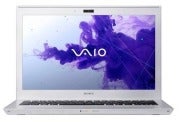
Sony VAIO T13Sony VAIO T13Lenovo isn’t the only one breaking the $800 price barrier. Sony’s VAIO T Ultrabooks start at $769.99 for the 13.3-inch model available now, and Toshiba has announced a 14-inch Satellite U840 Ultrabook starting at $749.
While these two laptops meet the lightweight and thinness requirements of the Ultrabook brand (under 0.8 inches thick and weight under 4 pounds), like the IdeaPad U-Series, these Ultrabooks get to the lower price point by using hybrid storage (a small SSD for the operating system and larger traditional hard drive for everything else).
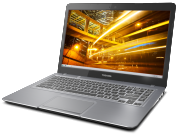
Toshiba Satellite U840Toshiba Satellite U840Otherwise, both Ultrabooks sport aluminum casing and an array of full ports including USB 3.0 and HDMI. The Satellite U830 adds a backlit keyboard and HD display, while Sony points out the VAIO T’s 7.5-hour battery life.

Asus Ultrabooks for Under $600

Prices on other Ultrabooks are finally fulfilling tech prophesies and dipping to $599 and below--perhaps low enough to give mainstream laptops a run for their money.
Ultrabook News reports than an Asus S46 14-inch Ultrabook will start at $599 while a 15-inch S56 will be priced at $799. The Asus S56, though weighing in at a less portable 5.07 pounds, will have a few high-end options including: Intel Ivy Bridge Core i5 or i7 processors, an NVidia GeForce GT630M graphics card, and hard drive options of 256GB SSD or 1TB HDD.
Here’s an informal hands-on with the S56, courtesy of ndeviltv.
<p>Your browser does not support iframes.</p>
With Ultrabook starting prices dropping, these laptops may finally find their place among the masses. There will still be more expensive Ultrabooks with more innovative or high-end features to choose from, but it's nice that there are options for more affordable Ultrabooks now too.
1 comments
Posted by: Jaime
blognizend, Updated at: 7:16 PM

Built in WebCam Problem Solve


I have a problem on built webcam after upgrading the old Windows to Windows7. The Webcam is "Not Detected Hardware" or Uninstalled. As we know Windows 7 has all drivers and it can auto update any driver available.

Most Laptop with this trouble are:

  • Asus
  • Acer
  • Samsung
  • Neo
As you see no Webcam is detected except for "Base System Device " (system device PCI or Card reader)
Device Manager....


On Device and Printers..

Like a built in WiFi device , built in WebCam need a hardware enabling device. The default  key is Fn + F10 ,after pressing  these key you will notice your webcam "Lights On" or Try any Fn+ combo key F1 to F12 


NOTE: Look for Product Manual on How to Enable WebCam . Now its working vice Manager and Device and Printers.


 Testing the WebCam you can download Vimicro USB Camera . Its allow you to take capture photo and videos.


0 comments
Posted by: Jaime
blognizend, Updated at: 3:21 AM

Acer Crystal Eye Issue on Win 7

Last day i have a customer with a Acer Aspire One and I reformat it with Win7 Ultimate. After performing a reformat I updated all the drivers on Windows Update. Video driver ,LAN driver WiFi driver auto install. But the webcam is not detected by Win7 I even installed 3 driver from Acer website they have 3 webcam driver.

  • chicony 
  •  liteon
  •  suyin 

Non of this work.. I think Acer netbook are not Good this is not the first I got trouble with Acer's book. acer should check  their built webcam compatibility if you Google around you will find acer crystal eye unsolved problem
hostgator coupon page
0 comments
Posted by: Jaime
blognizend, Updated at: 2:31 AM

Caps Locks Blink for Laptops Troubleshooting

Caps Lock/Num Lock LED               Component Tested    Error Condition
LEDs blink 1 time    CPU                      CPU not functional
LEDs blink 2 times    BIOS                    BIOS corruption failure
LEDs blink 3 times    Memory                Module error not functional
LEDs blink 4 times    Graphics               Graphics controller not functional
LEDs blink 5 times    System board        General system board failure
LEDs blink 6 times    BIOS    BIOS       authentication failure
0 comments
Posted by: Jaime
blognizend, Updated at: 4:58 AM

Chromebook

The faster, simpler, and more secure computer 

Acer/Samsung

Chromebooks are designed to get better with automatic updates. Some of the latest updates include:

New Login Screen

Chromebooks now feature a login page that integrates 2-step verification for those who have enabled the security feature.

Offline Apps

With Gmail Offline and other offline apps, you can now do more with your Chromebook, even when disconnected from the internet.

NTFS Support

Chromebooks now support NTFS (New Technology File System) drives, making it easier to connect your external storage devices


No blue screens or maintenance. The Chromebook just keeps getting better.
Simple means doing more with your Chromebook. The Omnibox at the top doubles as both an address and search bar. The New Tab page makes it easy to visit apps, bookmarks, and most visited site. Additionally, Chromebooks automatically update when you turn them on: all of your apps stay up-to-date, and you get the latest version of the operating system without having to think about it

SecurityNo anti-virus need apply.


Chromebooks run the first consumer operating system designed from the ground up to defend against the ongoing threat of malware and viruses. Chromebooks use the principle of “defense in depth” to provide multiple layers of protection, including sandboxing, data encryption, and verified boot. With web storage, your email, photos, documents, and data are stored in the cloud, even if you lose your Chromebook. Multiple logins and Guest Mode allow you to share your Chromebook securely with friends. 


Connectivity 

No more missed emails. Get the web everywhere.

With built-in Wi-Fi and 3G, Chromebooks make it easy to get connected anytime and anywhere.* 3G models come with flexible internet plans, including a free introductory mobile plan, so you can keep working on the go. Coupled with long battery life, Chromebooks enable you to be truly mobile - even without a place to stop and plug in. Chromebooks also have Google Cloud Print built in, allowing you to print to any cloud-connected printer from anywhere.


Web apps
No additional software required.
Every Chromebook runs thousands of web apps, from document creators to photo editors to games. New apps are being added daily to the Chrome Web Store, a central marketplace for web apps, extensions and themes. With the power of HTML5, you can now access many of your favorite apps, such as Gmail, during the rare times you are disconnected from the internet. Learn more about web apps.

Speed

No waiting.
Chromebooks boot in 8 seconds, and resume instantly. With Chrome Instant built in, web pages that you frequently visit will begin loading as soon as you start typing the URL. Chromebooks also use prerendering technology to load websites faster - for example, with Instant Pages in Google search, certain search results appear to load almost instantly.


Chromebook Specs

Acer and Samsung Series 5 Chromebook Specs at a glance

acer logo
  • 11.6" HD Widescreen CineCrystalTM LED-backlit LCD
  • 2.95 lbs. | 1.34 kg.
  • 6 hours of battery life
  • Intel® AtomTM N570 Dual-Core Processor
  • 2GB DDR3 RAM
  • 16GB SDD
  • Instant On (eight second boot time)
  • Built in dual-band Wi-Fi and World-mode 3G (optional)
  • HD Webcam with noise cancelling microphone
  • High-Definition Audio Support
  • 2 USB 2.0 ports
  • 4-in-1 memory card slot
  • HDMI port
  • Fullsize Chrome keyboard
  • Oversize fully-clickable trackpad
  • Adobe® Flash® support
Price: $349 Wi-Fi only.
optional world-mode 3G available*
June 15th from Amazon and Best Buy 
 
 
samsung logo
  • 12.1" (1280x800) 300 nit Display
  • 3.26 lbs / 1.48 kg
  • 8.5 hours of battery life
  • Intel® AtomTM N570 Dual-Core Processor
  • 2GB DDR3 RAM
  • 16GB SDD
  • Instant On (eight second boot time)
  • Built in dual-band Wi-Fi and World-mode 3G (optional)
  • HD Webcam with noise cancelling microphone
  • High-Definition Audio Support
  • 2 USB 2.0 ports
  • 4-in-1 memory card slot
  • Mini-VGA port
  • Fullsize Chrome keyboard
  • Oversize fully-clickable trackpad
  • available in black and white
Price: $429 for the Wi-Fi version, and $499 for the Wi-Fi/3G option. * June 15th from Amazon and Best Buy
* Prices are subject to change without prior notice.


0 comments
Posted by: Jaime
blognizend, Updated at: 3:43 PM

Sony VAIO Z series VPC-Z390X

Sony VAIO Z series VPC-Z390X
  • Pros
    The most powerful ultraportable. Switchable graphics. Excellent performance and gaming scores. Incredibly light. Internal optical drive can be swapped out for a Blu-ray one. Supports dual SSD drives. Excellent resolution. Backlit keyboard. Excellent navigating experience.
An upscale 13-inch laptop to give even the MacBook Air a run for its money, Sony's Vaio Z is fast, slim, and light, and includes a docking station with an optical drive and discrete graphics.


The bad: Even though this updated version of the Vaio Z is less expensive than the previous model we reviewed, it's still a premium-priced laptop. We'd almost rather skip the GPU dock and hit a more ultrabook-style price.Average battery life. No cellular modem.


  • Bottom Line
    With a Core i5 processor, SSDs, and switchable graphics, the Sony VAIO VPC-Z116GXS is hands-down the lightest and most powerful ultraportable money can buy.
    With slim 13-inch SSD laptops now well under $1,000, Sony's expensive, high-end Z series laptop is a tough sell, although the long-life slice battery and unique GPU/optical dock help make its case.

    The stand-alone GPU dock is still a unique feature, and if you're looking for an ultrabook-like laptop that can play serious games, it's got that market locked up. But beyond that, the Vaio Z is a very, very expensive example of what we sometimes call an executive laptop--as in, only the CEO gets one to show off how important he is.


    Price as reviewed / starting price $1,999 / $1,649
    Processor 2.5GHz Intel Core i5-2450M
    Memory 4GB, 1333MHz DDR3
    Hard drive 128GB SSD
    Chipset Intel HM65
    Graphics Intel HD3000
    Operating system Windows 7 Professional (64-bit)
    Dimensions (WD) 13.0 x 8.2 inches
    Height 1.3 - 1.5 inches
    Screen size (diagonal) 0.66 inch
    System weight / weight with AC adapter 2.5/3.6 pounds
    Category 13-inch laptop
    The slim, black carbon fiber body of the Sony Vaio Z is essentially unchanged from the 2011 version of the system, and my aesthetic reaction remains largely the same. The matte-black finish and slatelike chassis look and feel very high-end, although all the various joints and seams stand in contrast to Apple's unibody construction.

    A few oddities make the Vaio Z feel clunkier than it should. Our package (which included the optional slice battery) had two separate AC adaptors, only one of which--the larger one--fits the docking station. The stiff proprietary cable that connects the two components eats up the onboard USB 3.0 (but is replaced by another USB 3.0 port on the docking station), and it's short, so you can't place the dock more than a few inches away.
    The flat-topped keyboard used here has the now-standard island-style layout, which Sony has been using for years (along with Apple and a few others). Because the body of the laptop is so thin, the actual keys are extremely shallow, even more so than on most ultrabooks. You can get used to it, but it may not ever be a favorite for long-form writing. The keyboard is, however, thankfully backlit.
    The touch pad seemed fine in the mid-2011 version of this laptop, but since then, several low-cost ultrabooks have included much larger touch surfaces. The smaller pad here has a subtle patterned texture, with attached, but nontextured, mouse button zones separated by a fingerprint reader. Despite wanting a bigger pad, the multitouch gestures, such as the two-finger scroll, worked better on this system than on nearly any Windows laptop I've tried.

    The native resolution of the 13.1-inch display is 1,600x900 pixels, which is exactly where a high-end 13-inch should be. The last Vaio Z we tested included an upgraded 1,920x1,080-pixel display--as high as mainstream laptop screens get. On a 1080p screen, text could be so small it was hard to read, so that's one add-on that you can safely skip (even though it's only $100). For personal use, the onboard audio, with Dolby Home Theater technology, is fine, but immersive gaming or cinephile video watching would be better served with a set of high-end headphones.


    0 comments
    Posted by: Jaime
    blognizend, Updated at: 5:40 PM

    Asus Zenbook a copy of MacBook Air


    In late 2011, Asus launched their Zenbook series of Ultrabooks. These super-thin machines, offer more processing power than netbooks, but weigh less than traditional laptops. They are designed to be a Windows alternative to Apple’s MacBook Air.
    And if imitation is the sincerest form of flattery, Asus must love the Air. In many ways, the Zenbook is nearly identical to Apple’s ultra-thin MacBook. Both machines use an aluminum unibody design. Their exterior dimensions, weight, and wedge-shaped cases are strikingly similar. But it’s the machines’ interior hardware layouts that are most interesting. As I outline in the Analysis section below and in the video, the layouts are mirror images of each other.

    MacBook Air clone?

    Clones aren’t a new concept in the computer market, and there are only so many ways to arrange hardware inside a case. If the Zenbook merely looked like the Air on the outside, I wouldn’t label it a blatant copy. But the internal designs are so much alike, I can’t think of a more appropriate description. Apple may feel the same way.
    Earlier this week, the Chinese-language Commercial Times (Google Translate) ran a story that Apple pressured Pegatron, which builds the Zenbook for Asus, to stop producing the laptop. According to the story, Pegatron wants to maintain a good working relationship with Apple as the company is working with them to assemble the iPhone and iPad 3. Pegatron will stop producing the Zenbook in March, the report said.
    Several tech media outlets picked up the story on Tuesday. CNET’s Brooke Crothers wondered if Apple was “becoming uneasy about the crush of Windows ultrabooks hitting the market?” But, ZDNet’s Adrian Kingsley-Hughes isn’t sure the story rings true. To date, Apple, Asus, and Pegatron have all been silent on the matter.
    Even if there’s no truth to the Commercial Times story, I can understand why Apple might be a little disturbed by the Zenbook’s design–both inside and out.

    Full teardown gallery: Cracking Open the Asus Zenbook UX21 ultrabook
     The Zenbook is available in 11-inch (UX21) and 13-inch (UX31) models and a variety of hardware configurations. Our Asus Zenbook UX21E-DH71 cost $1,149.99 (excluding tax and shipping). It has a 1.80GHz Intel Core i7-2677M processor, 4GB of DDR3 SDRAM, 128GB solid state drive, 11.6″ HD LED LCD (1366 x 768), 802.11 b/g/n WLAN and BT support, and 0.3MP HD webcam. The 11-inch Zenbook measures 7.7″ (H) x 11.7″ (W) x 0.7″ (D) and weighs 2.4 pounds.


    Cracking Open Analysis

    • Good build quality: I criticized Asus for internal design and assembly problems with a Transformer Prime tablet I tested. I saw none of the same issues on our Zenbook. Overall,
    • Relatively easy to service: The case doesn’t require any special tools to open, just a Torx T5 screwdriver. Once you’re inside, you can remove most components with a Phillips #0 screwdriver. Those who are comfortable working on computers should have no trouble with the Zenbook.
    • No membrane beneath the keyboard: Acer did the same thing on their Aspire S3 ultrabook, but Apple did include one on the Air.
    • Nearly identical to the MacBook Air: The Zenbook’s internal design is nearly identical to the MacBook Air’s hardware layout. There’s a large battery in the front, with speakers on either side. The motherboard and a smaller IO board run along the back edge and are separated by the cooling fan. And, the SSD is mounted to the motherboard just below the CPU and Platform Controller Hub.

    Internal hardware

    Our Asus Zenbook UX21E-DH71 test machine has the following hardware:
    • 1.8GHz Intel Core i7-2677M processor (E89391 01 IC2 / V137A416 / 2V130164A1260 SR0D2)
    • Intel BD82UM67 Platform Controller Hub (E78296 01PP15 / E135B084 SLJ4K)
    • 4GB Elpida 1333MHz DDR3 SDRAM (J4216BASE-DJ-F x 8)
    • AzureWave AW-NB086 WLAN/BT card
    • 128GB ADATA XM11 SSD
    • 0.3 MP webcam
    • ELAN touchpad controller (33200V-3600 1139 BW118V1)
    • 11.6″ ()
    • 7.4V 4,800mAh, 35Wh Li-Polymer Battery Pack (C23-UX21)
    • Realtek ALC269 High Definition Audio Codec with Embedded Class D Speaker Amplifier
    • Texas Instruments BQ24740 Multi-Cell Synchronous Switch-mode Battery Charger (BQ 24740 TI 171 A3NR G4)
    • Fresco Logic FL1000 single port PCI Express to USB 3.0 host controller chip (FL1009-2Q0 KYTG9-000 1122B15A)
    • ITE Tech IT8572G 1137-AXS DCEKSB (likely and embedded controller)
    • Fairchild FDMC7696 30V N-Channel PowerTrench MOSFET (FBKFJ FDMC 7696)
    • Fairchild FDMC0310AS (PBKAF FDMC 0310AS)
    • Macronix MX25L3206E 32M-BIT CMOS serial flash (MXIC IC MX25L3206E M2I-12G 7A470000 L113498)
    • Richtek RT8166B (RT8166B ZQW DGJ10)
    • Richtek RT8206A High-Efficiency, Main Power Supply Controller for Notebook Computers (RT8206A GQW DHV08)

    Source: Tech Repub by Bill Detwiler


    12 comments
    Posted by: Jaime
    blognizend, Updated at: 1:50 AM

    Heat Sink Cleaning

    Cleaning up Heat Sink is a little bit messy especially on Laptops and Note Book.
     If your Heat Sink have dirt it may cause:
    • Auto Shutdown because of Over Heating
    • Windows Hang or Freeze
    • Blue Screen


    Here I remove the Keyboard First


    The Remove LCD

    Now I remove the Board

     Now i remove the Heat Sink

    Now I Open the Heat Sink


    Look like a Cotton of Dust..


    2 comments
    Posted by: Jaime
    blognizend, Updated at: 8:53 PM

    Ultrabook

    From Wikipedia, the free encyclopedia


    Asus UX21 ultrabook

    An Ultrabook is a higher-end type of subnotebook defined by Intel.[1] Intel claims a trademark in the name Ultrabook.[2] Ultrabooks are designed to feature reduced size and weight and long battery life while retaining strong performance. They use low-power Intel CULV processors with integrated graphics, solid-state drives for fast loading times, and unibody chassis to fit larger batteries into smaller cases.[3] Because of their minimal size, the ability to have many ports (USB, HDMI, VGA, ethernet, etc) is limited.

    By this marketing initiative and an associated $300 million fund, Intel hopes to influence the slumping PC market against rising competition from tablet computers, which are typically powered by competing ARM-based processors.[4]


    Hardware requirements


    Three phases of Ultrabooks are planned to align with the release of low voltage Sandy Bridge, Ivy Bridge, and Haswell processor models.

    First phase (Q4 2011)


    • Thin – less than 21 mm (0.8 inch) thickness[5]
    • Lightweight – less than 1.4 kg (3.1 pounds)[6]
    • Long battery life – 5 to 8+ hours[7]
    • Mainstream pricing – around $1,000 USD [8]
    • May use flash-based SSDs[9]
    • Use CULV (17 W TDP) Intel Sandy Bridge mobile processors
      • Core i5-2467M (1.6 GHz)
      • Core i5-2557M (1.7 GHz)
      • Core i7-2637M (1.7 GHz)
      • Core i7-2677M (1.8 GHz)
    • Use Intel's graphics sub-system HD Graphics 3000

    Second phase (Q2 2012)


    • Use CULV Intel Ivy Bridge mobile processors
    • Intel is targeting up to:
      • 30% increase in integrated graphics performance over Sandy Bridge
      • 20% increase in CPU performance over Sandy Bridge
    • USB 3.0, PCI Express 3.0

    Larger Screen Sizes


    Though not a "requirement" per se, more 14 and 15" screens can be expected later on into 2012. At a presentation at the Consumer Electronics Show, an Intel Manager stated that market analysis revealed that screen size motivated some of the reluctance to switch to 13" Ultrabooks. As a result, Intel is planning to ensure, through cooperation with manufacturers, a 14 or 15-inch screen on 50% of the 75 Ultrabooks that will likely come to market in 2012. [10] [11]

    Third phase (2013)


    • Use CULV Intel Haswell mobile processors
    • New advanced power saving system – power consumption half of early 2011 chips[12]
    • Use 15 W TDP processor (multi-chip package, like Westmere)[13]

    List of models


    Because of the novelty of the Ultrabook, many manufacturers been unable to meet all of Intel's requirements in their initial models. These deviations (especially cost overruns) are expected to decline as manufacturing processes for Ultrabooks mature. Sections in bold indicate an area where the model fails to meet Ultrabook requirements.

    First phase (Q4 2011, Q1 2012)


    Brand - Model1 Price of
    Base Model2
    Release Date Intel Processor
    of Base Model
    Base RAM
    Capacity
    Base Drive
    Capacity
    Minimum / Maximum
    Thickness3
    Weight Battery Life Display Size
    Resolution
    Acer Aspire 3951[14] $900 October 2011 Core i5-2467M (1.6 GHz) 4 GB 320 GB HDD + 20 GB SSD4 13.10 mm / 17.50 mm
    (0.51 in / 0.69 in)
    1.35 kg (2.98 lbs) 36 Wh, ~6 hours 13.1" (1366×768)
    Acer Aspire 3951 $1,200 November 2011 Core i5-2467M (1.6 GHz) 4 GB 256 GB SSD 13.10 mm / 17.50 mm
    (0.51 in / 0.69 in)
    1.35 kg (2.98 lbs) 36 Wh, ~6 hours 13.1" (1366×768)
    Acer Aspire 3951[15] $1,300 November 2011 Core i7-2637M (1.6 GHz) 4 GB 256 GB SSD 13.10 mm / 17.50 mm
    (0.51 in / 0.69 in)
    1.35 kg (2.98 lbs) 36 Wh, ~6 hours 13.1" (1366×768)
    Asus Zenbook UX21[16] $1,000 October 2011 Core i5-2467M (1.6 GHz) 4 GB 128 GB SSD 16.76 mm (0.66 in) 1.10 kg (2.43 lbs) 35 Wh, ~5 hours 11.6" (1366×768)
    Asus Zenbook UX31[16] $1,100 October 2011 Core i5-2557M (1.7 GHz) 4 GB 128 GB SSD 17.00 mm (0.67 in) 1.30 kg (2.90 lbs) 50 Wh, ~5 hours 13.3" (1600×900) (Glossy)
    Dell XPS 13 [17] $1,000 February 2012 Sandy Bridge i5 at first, then later Ivy Bridge. 4 GB 128 GB SSD 6-18mm; 12mm or 0.47in average 1.36 kg (3 lbs) 47 Wh, ~8 hours 13.3" (1366×768)
    HP Folio 13[18] $930 December 2011 Core i5-2467M (1.60 GHz) 4 GB 128 GB SSD 18.00 mm (0.7 in) 1.49 kg (3.3 lbs) 59 Wh, ~9 hours 13.3" (1366×768)[19]
    HP Spectre (HP Envy 14)[20] [21] $1,400 February 2012 Core i5-2467M (1.60 GHz) 4 GB 128 GB SSD 20.00 mm (0.8 in) 1.8 kg (3.95 lbs) ~9 hours 14" (1600×900)
    Lenovo IdeaPad U300S[22] $1,000[23] November 2011 Core i5-2467M (1.6 GHz) 4 GB 128 GB SSD 14.99 mm (0.59 in) 1.34 kg (2.95 lbs) 30 Wh, ~8 hours 13.3" (1366×768) (Glossy)
    Lenovo IdeaPad U300E [24] $800 February 2012 Ivy bridge
    500 GB HDD + 32 GB SSD4

    ~8 hours 13.3" (1366×768)
    LG X-Note Z330[25] 1,700,000 ($1475) December 2011 Core i5-2467M (1.6 GHz) 4 GB 120 GB SSD 14.7 mm (0.58 in) 1.21 kg (2.67 lbs) ~6 hours 13.3" (1366×768)
    Samsung Series 5 13"[26][27][28] $900 January 2012 Core i5-2467M (1.6 GHz) 8 GB max 128 GB SSD / 256 GB SSD / 500 GB HDD 14 mm / 17.6 mm (0.55 in / 0.69 in) 1.38 kg (3 lbs) ~6.4 hours 13" (1600×900)
    Samsung Series 5 14"[26][27][28] $1,100 January 2012 Core i5-2467M (1.6 GHz) 8 GB max 128 GB SSD / 256 GB SSD / 1 TB HDD 20.9 mm (0.82 in) 1.84 kg (4.06 lbs)
    14" (1600×900)
    Samsung Series 9 13" (2012) [29] [30] $1,400 February 2012 Refresh Core i5-2537M (1.4 GHz) 4 GB (8 GB max) 128 GB SSD 12.7mm (0.5in) 1.1 kg (2.5 lbs) 47 Wh, ~7 hours 13.3" (1600×900) (Matte)
    Samsung Series 9 15" (2012) [29][30] $1,500 February 2012 Refresh Core i5-2537M (1.4 GHz) 4 GB (8 GB max) 128 GB SSD 15.74 / 16.25 mm
    (.62 in / .64 in)
    1.59 kg (3.50 lbs) 47 Wh, ~7 hours 15" (1600×900) (Matte)
    Toshiba Portege Z830[31] $900 November 2011 Core i3-2367M (1.4 GHz) (i5, i7 models exist) 4 GB 128 GB SSD 16.00 mm (0.63 in) 1.11 kg (2.45 lbs) 47 Wh, ~8 hours 13.3" (1366×768) (Matte & Glossy models)
    Toshiba Portege Z835-P330[32] $800 November 2011 Core i3-2367M (1.4 GHz) 4 GB 128 GB SSD 16.00 mm (0.63 in) 1.11 kg (2.45 lbs) 47 Wh, ~8 hours 13.3" (1366×768)

    Second phase (expected release Q2 or later 2012)


    Brand - Model1 Price of
    Base Model2
    Release Date Intel Processor
    of Base Model
    Base RAM
    Capacity
    Base Drive
    Capacity
    Minimum / Maximum
    Thickness3
    Weight Battery Life Display Size
    Resolution
    Acer Aspire "S5" [33] [34] No Data Q2 2012 Ivy Bridge 8GB SSD 14.9mm (0.59 in) 1.35 kg (2.97 lbs) ~8 hours 13.3" (1366×768)
    Lenovo Thinkpad T430u[35] $850 Q3 2012 No Data 4 GB 128 GB SSD or 1TB HDD 20.3mm (0.8 in) 1.77 kg (3.9 lbs) ~6 hours 14" (1366×768) (Glossy)
    Lenovo IdeaPad "Yoga" [36] $1,200 Q3 2012 Ivy Bridge No data on base model 256 GB SSD 17mm (0.67 in) 1.4 kg (3.1 lbs) ~8 hours 13.3" (1600×900) (folds into tablet)
    Lenovo IdeaPad U310 [37] [38] $700 May 2012 No data 4 GB 64 GB SSD or 500 GB HDD 18mm (0.71 in) 1.7 kg (3.75 lbs) ~8 hours 13.3" (1366×768)
    Lenovo IdeaPad U410 [37] [38] No Data May 2012 No Data 4 GB 64 GB SSD or 500 GB HDD 21mm (0.83 in) 1.9 kg (4.2 lbs) ~8 hours 14" (1366×768)

    Notes:
    1 Only base laptops are shown here.
    2 Pricing announced (in USD and on the US market, unless specified) by manufacturer or at time of product release.
    3 Some Ultrabooks have a uniform Thickness.
    4 These models include two drives. The SDD is pre-configured to store only hibernation data (for faster S4 resume).
    0 comments
    Posted by: Jaime
    blognizend, Updated at: 9:47 PM
     
    Support : Creating Website | Johny Template | Mas Template
    Copyright © 2011. blognizend - All Rights Reserved
    Template Created by Creating Website Published by Mas Template
    Proudly powered by Blogger
    Google+ Jaime Lacson